
Managing Line Items and Products
Managing line items includes adding new products, modifying a line item's quantity, or removing a line item.
Note:
If there is no existing cart, a new one will be created automatically.
Searching Products
To search for a product to be added to a cart:
-
Specify a product product ID or name and click the Search icon (
 ).
This performs a full-text search with the given parameter and displays the results.
).
This performs a full-text search with the given parameter and displays the results.Figure 1. Product search results 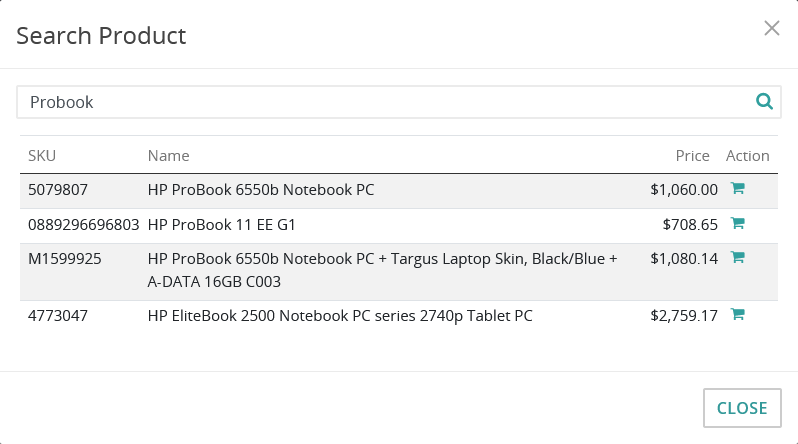
-
Click the Add to Cart icon (
 ).
This adds the desired product to the cart and closes the search dialog.
).
This adds the desired product to the cart and closes the search dialog.
Adding a Product
To add a new product (with a known product ID) to a cart:
Tip:
Use Intershop Commerce Management to retrieve the product ID. Note that it
is called "ID" in Intershop Commerce Management.
Note:
Currently, products with the freight class Digital Delivery and gift cards
cannot be ordered via Intershop Customer Engagement Center. Use Storefront Impersonation
instead.
-
In the Enter product ID field, specify the product ID of the new product and press ENTER or click the Add to Cart icon ().
Figure 2. The product ID field 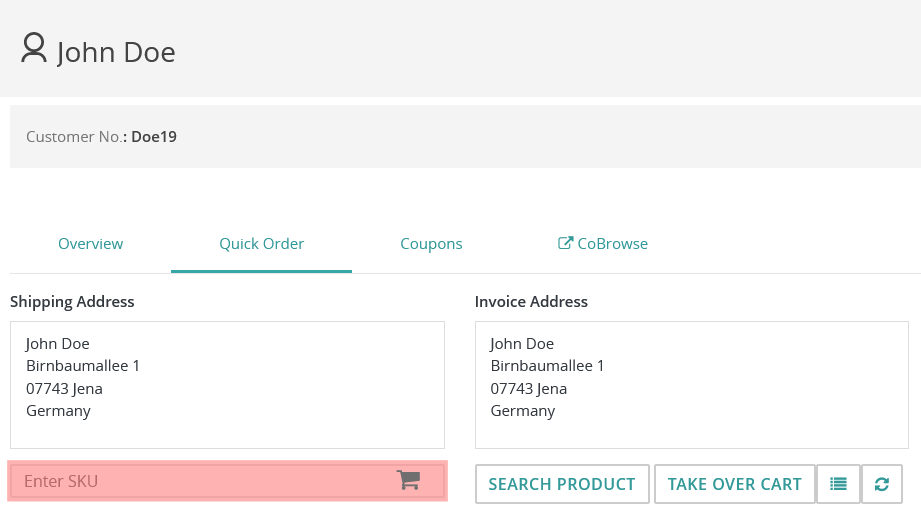 This adds the desired product immediately and updates the cart.
Modifying a Line Item's Quantity
To modify the quantity of a line item:
-
Select the quantity to be modified, specify the new value, and press ENTER.
Tip:You can use the mouse pointer or TAB to select the intended quantity.This modifies the quantity and updates the cart immediately.
Figure 3. A line item's quantity field in an open cart 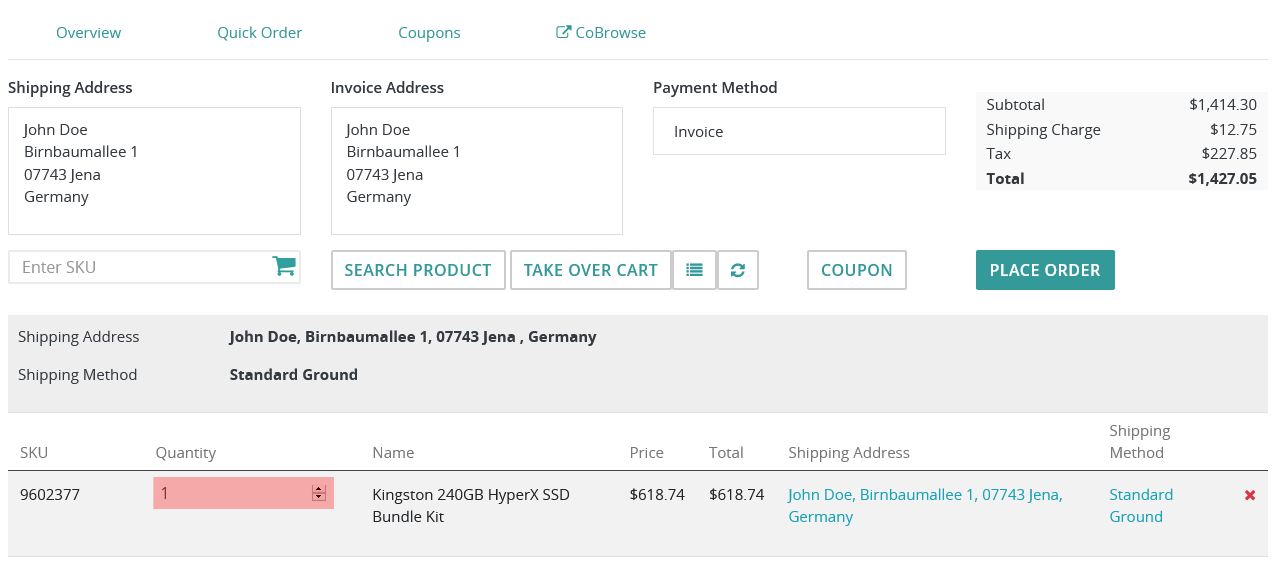
Removing a Line Item
To remove a line item from the cart:
-
Click the Delete icon (
 ) in the row of the line item to be removed.
This removes the line item and updates the cart immediately.
) in the row of the line item to be removed.
This removes the line item and updates the cart immediately.