Managing Returns (RMA)
Intershop Order Management supports different types and reasons for returns which are configured in the supplier setup.
Creating Return Requests
Note:
To create a return request, perform the following steps:This requires an order for which positions have been delivered and can be returned. Furthermore, for PICKUP, the customer and at least one delivery address must be given.
-
Click Add first return request
 .
If there are already some return requests available, click Add additional return request in the lower right. Tip:You can also click the icon directly in the Return requests tab.The Create return request dialog opens.
.
If there are already some return requests available, click Add additional return request in the lower right. Tip:You can also click the icon directly in the Return requests tab.The Create return request dialog opens.Figure 1. Create return request 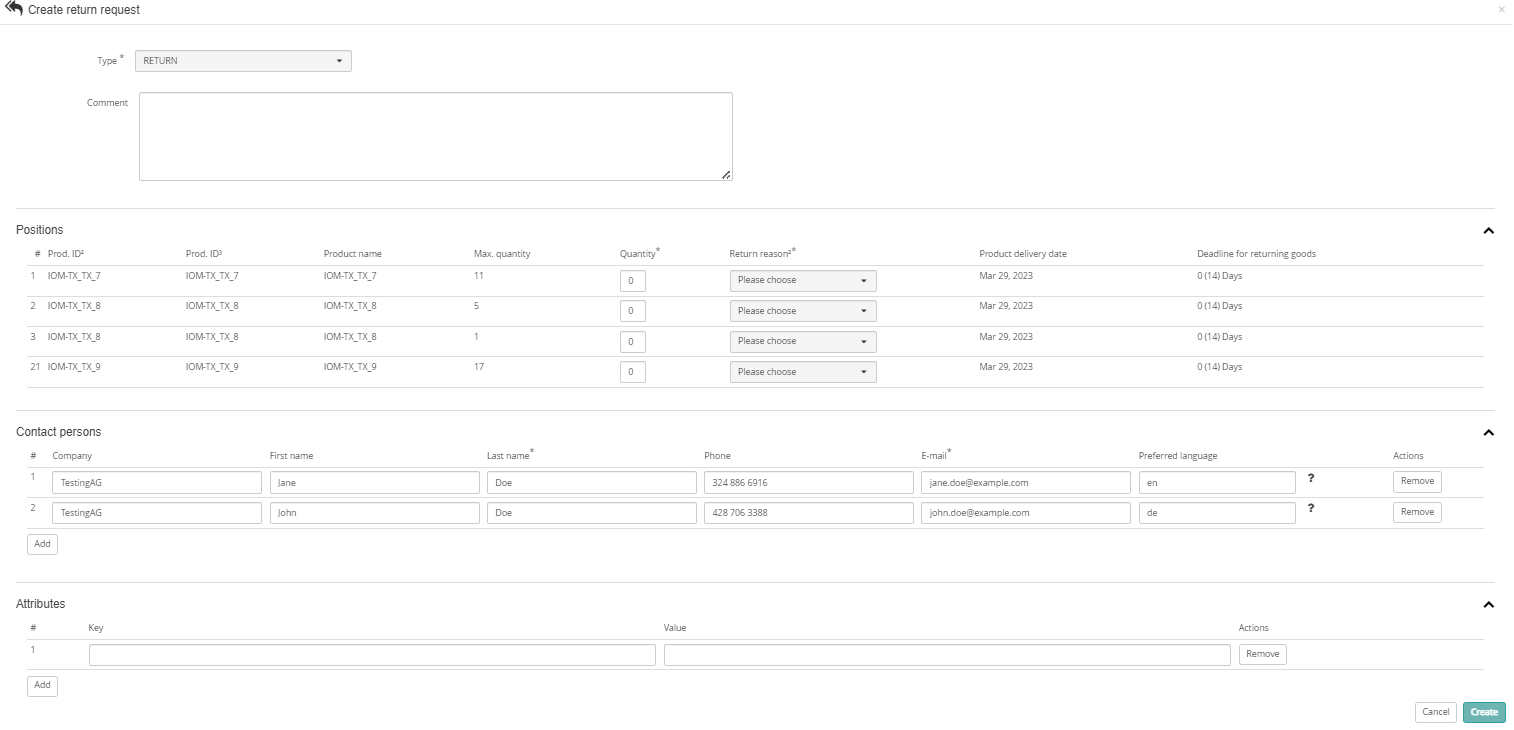
Viewing Return Requests
Tip:
To search or view orders with unprocessed return requests, use the overview widgets on the homepage or on the order page. You can also use the order search by selecting the Business query preset and the status Unprocessed return requests, see Simple Order Search.
Creating Return Confirmations from Existing Return Requests
Note:
To create a return confirmation from an existing return request, perform the following steps:
This requires a return request with status ACCEPTED.
-
Click the
 icon in the Actions column.
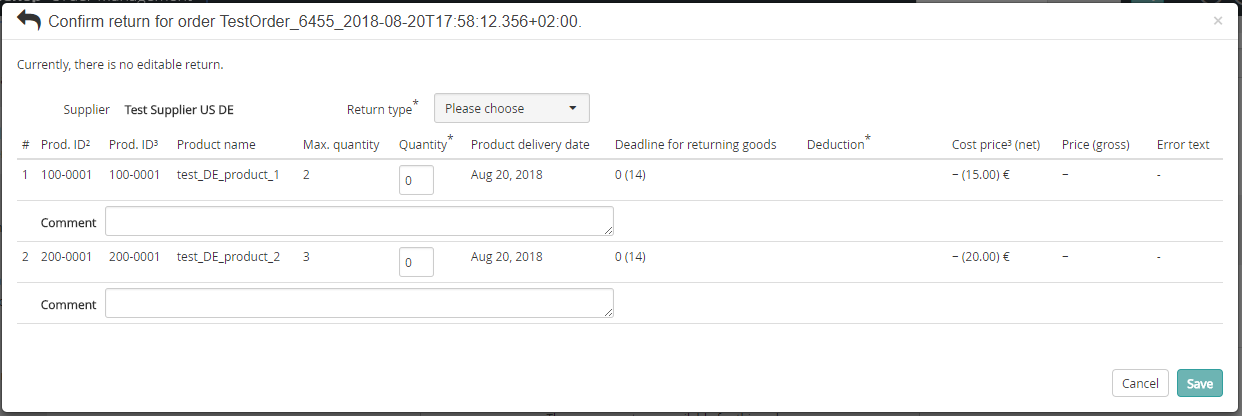
This opens the Confirm return for order Dialog with pre-filled values from the return request.Tip:The Reason for return will be set according to the return request. If the reason is not available, you must specify a reason.Note:The quantity will be set according to the return request, even if larger than possible. If that is the case, you have to change it. The single comment is set to all comment fields of the form. The user may change it. If one of multiple suppliers has to be selected, the return type and reason is currently not set. The user has to select them depending on the supplier.
icon in the Actions column.
This opens the Confirm return for order Dialog with pre-filled values from the return request.Tip:The Reason for return will be set according to the return request. If the reason is not available, you must specify a reason.Note:The quantity will be set according to the return request, even if larger than possible. If that is the case, you have to change it. The single comment is set to all comment fields of the form. The user may change it. If one of multiple suppliers has to be selected, the return type and reason is currently not set. The user has to select them depending on the supplier.
Creating Return Labels
Note:
To create new return labels, a return of the order must be possible, i.e. it was delivered and can be returned.
To create a new return label, perform the following steps:
-
Click the Create new return label button
 in the upper right corner.
A confirmation dialog appears. This may take some seconds.
in the upper right corner.
A confirmation dialog appears. This may take some seconds.
Sending Return Labels by E-mail on Demand
Note:
To send a return label by
e-mail, perform the following steps:To send a return label by e-mail, a
CommunicationPartnerDO must be configured for the transmission type
SEND_CUSTOMER_MAIL_RETURN_LABEL, see Guide - IOM Shop Onboarding. -
Open the Documents tab and click Send e-mail with return label
 in the Actions column.
The Send e-mail with return label dialog opens.
in the Actions column.
The Send e-mail with return label dialog opens.
Adding Return Confirmation
-
In the Returns tab header, click the
 symbol.
Otherwise, open the Returns tab and click the icon. This opens the Confirm return dialog.
symbol.
Otherwise, open the Returns tab and click the icon. This opens the Confirm return dialog. Figure 2. Confirming product return